No Results Found Controls
A typing desk, not a gamepad mystery. Aspect ratio and the search field matter more than keybinds.
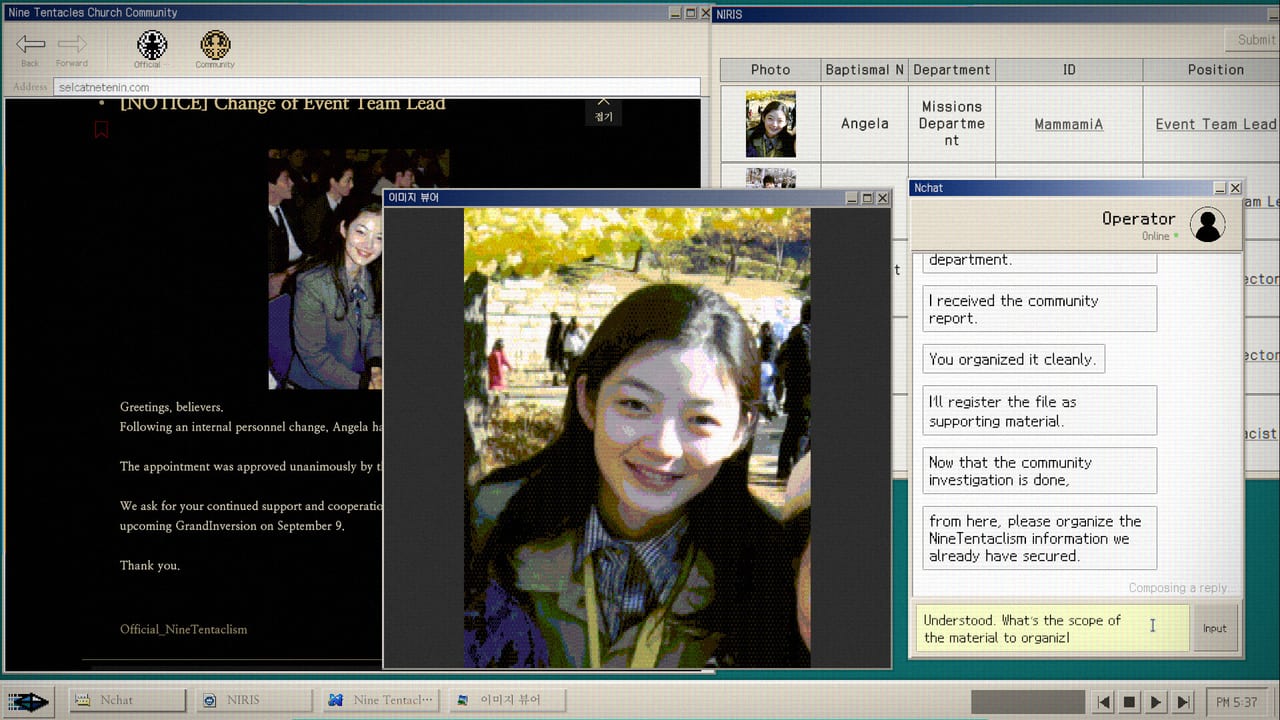
No Results Found is a mouse-and-keyboard desktop. Steam’s spec sheet never promises a controller. You click windows, scroll posts, type queries, pin names, and, if you insist, play DODGE. This page is the control sheet the store does not write: what to click, how the search field wants input, why 16:9 mattered at launch, and what patch 1.0.1 actually changed. For the verb list of programs on the desk, stay on How to Play. For the PC numbers, stay on System Requirements.
Mouse
The mouse is the primary pointer. Click to focus a window. Click posts, comments, mail, files, photos, wiki lemmas, and org-chart slots. Drag only if a window or a DODGE interaction asks you to. Scroll is not optional. Tokens hide under comments and at the bottom of long Church pages. A launch-week review lost time because extra materials had opened and the player never refocused the new window. When the desk feels stuck, click every icon again before you invent a new search string.
DODGE wants a stable mouse more than the reading layers do. If you came here for story, you can ignore that minigame. If you came here for 100 percent, read How to Beat DODGE after the report, not during a chat you still need.
Keyboard and the search field
Almost every lock in the case is a string you type. Copy from the screen. Paste if the field allows it. Type punctuation and exact spellings. A working IME matters if you play in Korean or Japanese. English players still copy odd proper nouns; Marco versus Makor is the published example of one letter killing a page.
Patch 1.0.1, posted by Zzangdol Games the day after launch, lists “improved input field logic” as a headline fix. If a search bar ate characters, ignored clicks, or fought an IME on 1.0, update and retry the same token before you assume the index is empty. The engine is still not Google. How to Search and the in-game wiki page explain why extra adjectives still miss after the patch.
There is no rebind menu worth treating as a feature. Sit at a desk. Caps lock will waste a query. An extra space will waste a query. A translated gloss of a Korean nickname will waste a query. The Search Notebook exists so you type less from memory.
Display, 16:9, and ultrawide
The game is a simulated monitor inside a room. At launch, players on aspect ratios other than 16:9 could see a broken or empty screen. That is the first bullet in the official 1.0.1 notes: “Fixed an issue where the screen would not display properly on aspect ratios other than 16:9.” If your panel is ultrawide, 16:10, or a vertical 1080p window, update before you decide the download is corrupt. Windowed 16:9 still works if a later bug appears. Fullscreen is fine on a native 16:9 display.
Bump Windows scaling if forum text is painful, then confirm the search field still accepts clicks. Small UI is the real spec. An i3-6100 can run the reading layers. Tired eyes cannot.
What you cannot pause with a key
Chats can auto-advance. The final report can skip. English reviewer Jennik, who also opened the true-nature Steam thread, named both as the only real problems in an otherwise 90s-detective loop. Patch 1.0.1 did not add a manual-advance toggle. Screenshot. Keep the memo open. Do not alt-tab during a rolling conversation. Those are the controls the game will give you until a later note says otherwise.
Music is an achievement, Government-Approved Medicine, so mute-by-default is a bad plan. Several Korean reviews praised the keyboard sound of the simulated desk. Leave audio on until the music badge pops, then decide.
What this is not
It is not a Steam Input profile. It is not a split of keyboard-only and mouse-only routes. It is not a mobile touch scheme. It is a Windows desktop fiction that wants a mouse in one hand and a keyboard under the other. Family Sharing is listed. A second player is not. Play it alone.
If the screen is black on a non-16:9 panel, that is 1.0.1. If the search field misbehaves, that is 1.0.1. If the index returns nothing, that is a token problem: How to Search, Hidden Community, or the in-game wiki. If you need the store download, Official Links has the app page. If you need the day-one snapshot, Launch Notes still holds. The patch page holds what changed on 15 August 2026.
Sit. Click. Type the string on the screen. That is the whole control scheme, and it is why a codes-style wiki would fail this game.
Frequently Asked Questions
Quick answers for investigators who just hit a dead search.
Does No Results Found support a controller?
Steam lists a typing-and-clicking Windows desktop. Use a mouse and keyboard. There is no controller promise on the spec sheet.
The screen is blank on ultrawide. Is the game broken?
Launch 1.0 mishandled aspect ratios other than 16:9. Install patch 1.0.1, or run a 16:9 window, then retry.
Can I pause chats with a key?
No toggle shipped in 1.0.1. Screenshot rolling chats and the final report. Those screens can auto-advance.